Meeting, Classroom, and Event Space Scheduling at Pfeiffer University
How do I book a meeting space at a Pfeiffer University campus, including conference rooms, classrooms, and hybrid meeting technology?
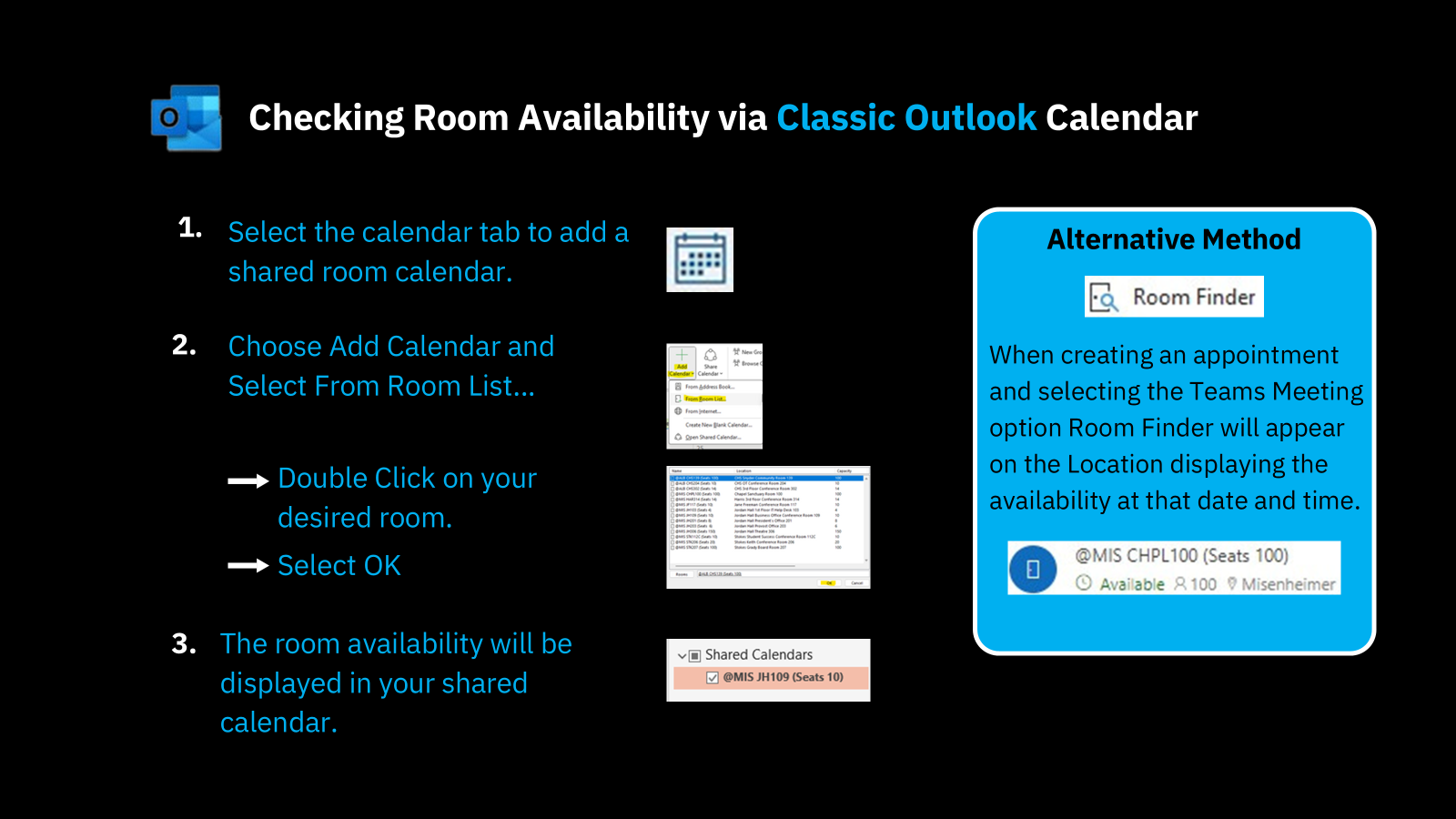
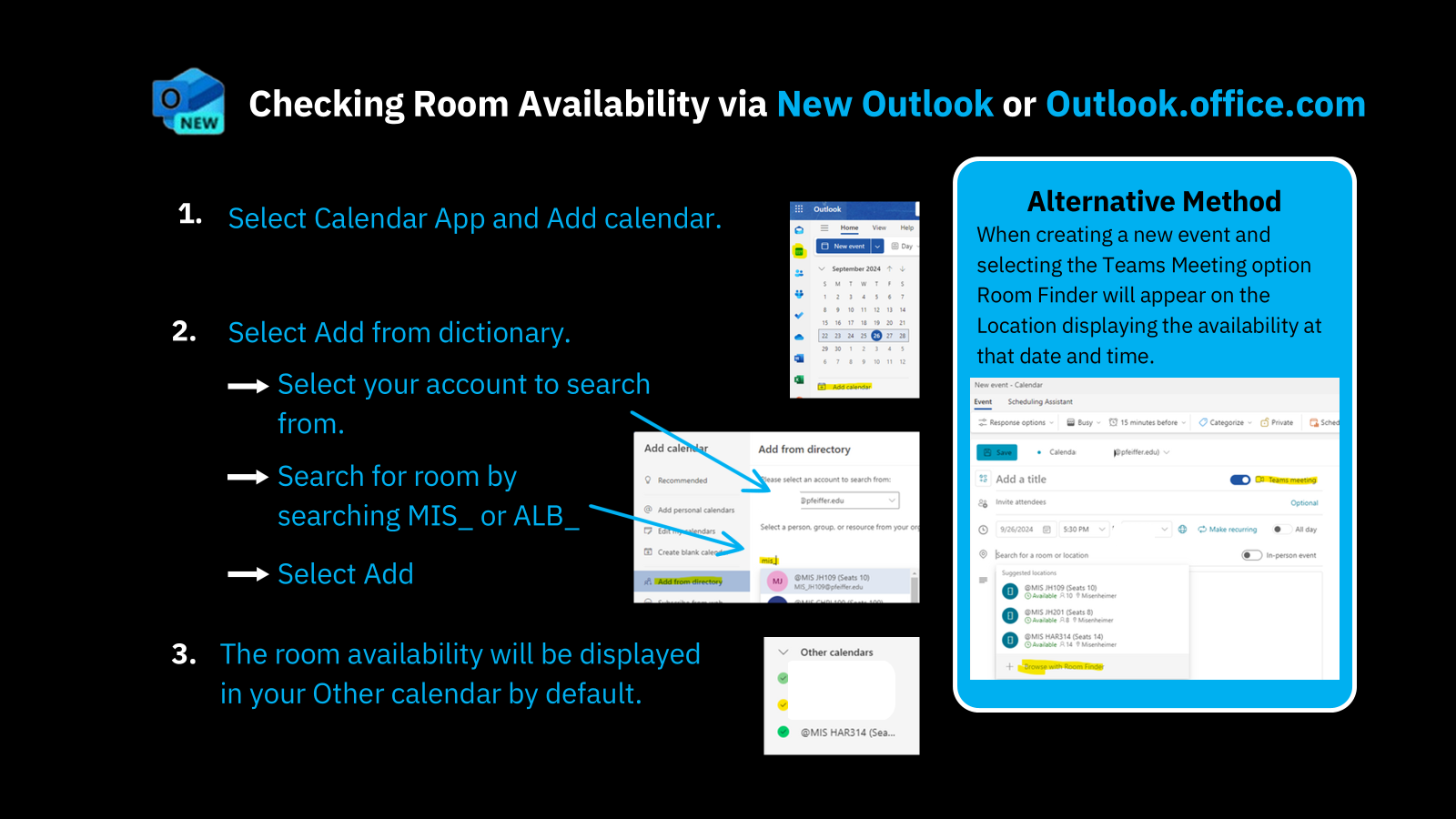
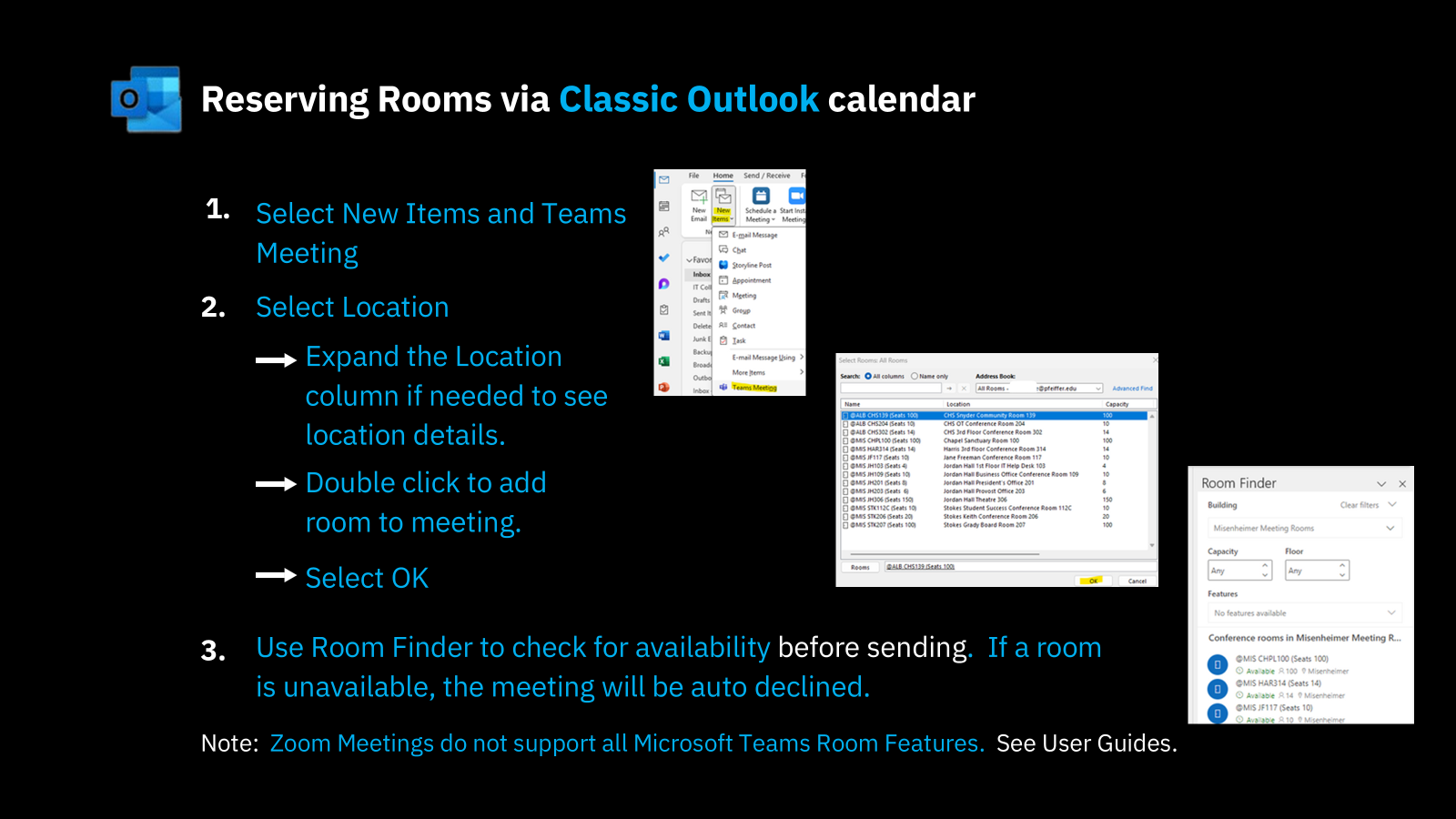
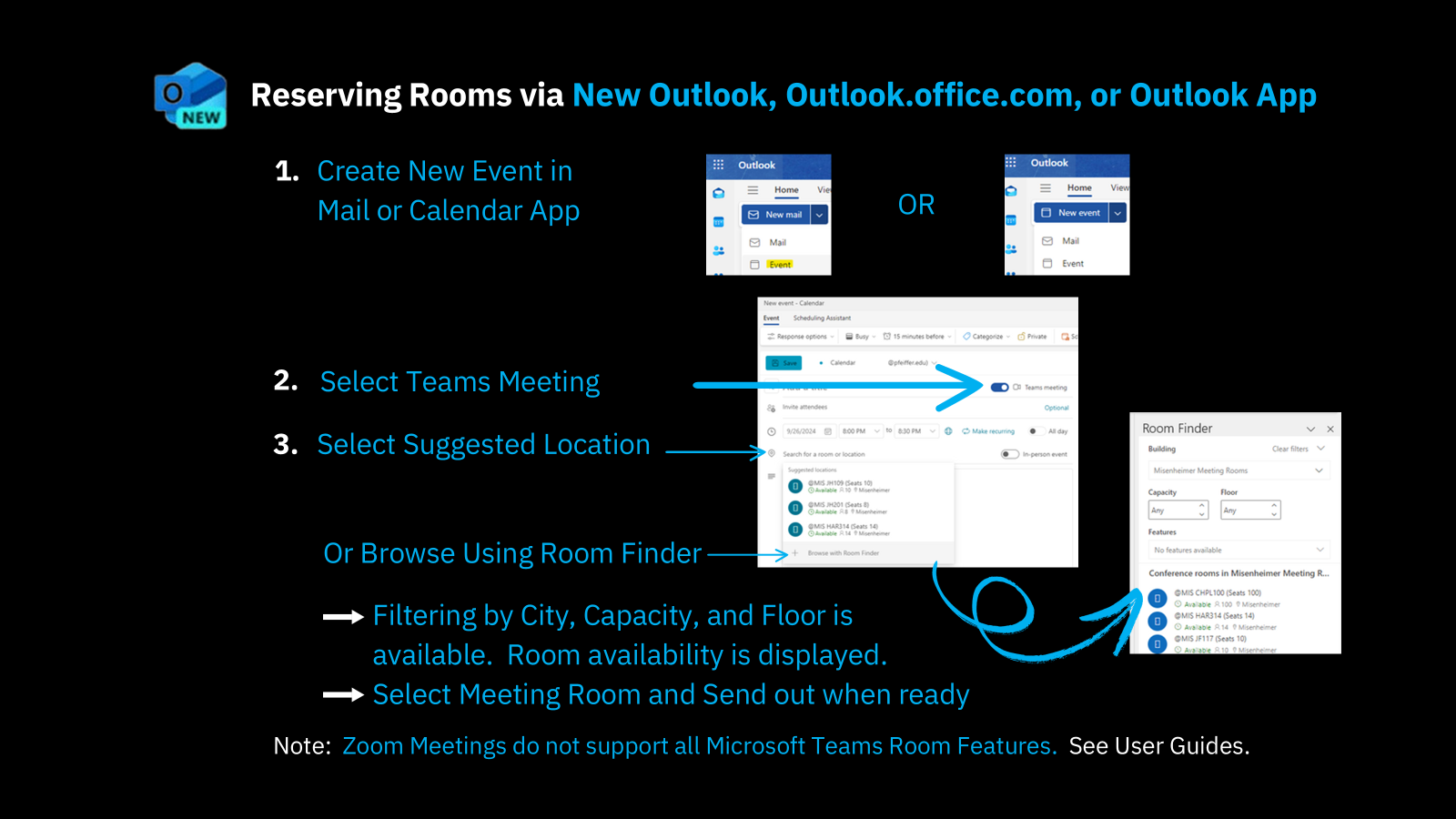
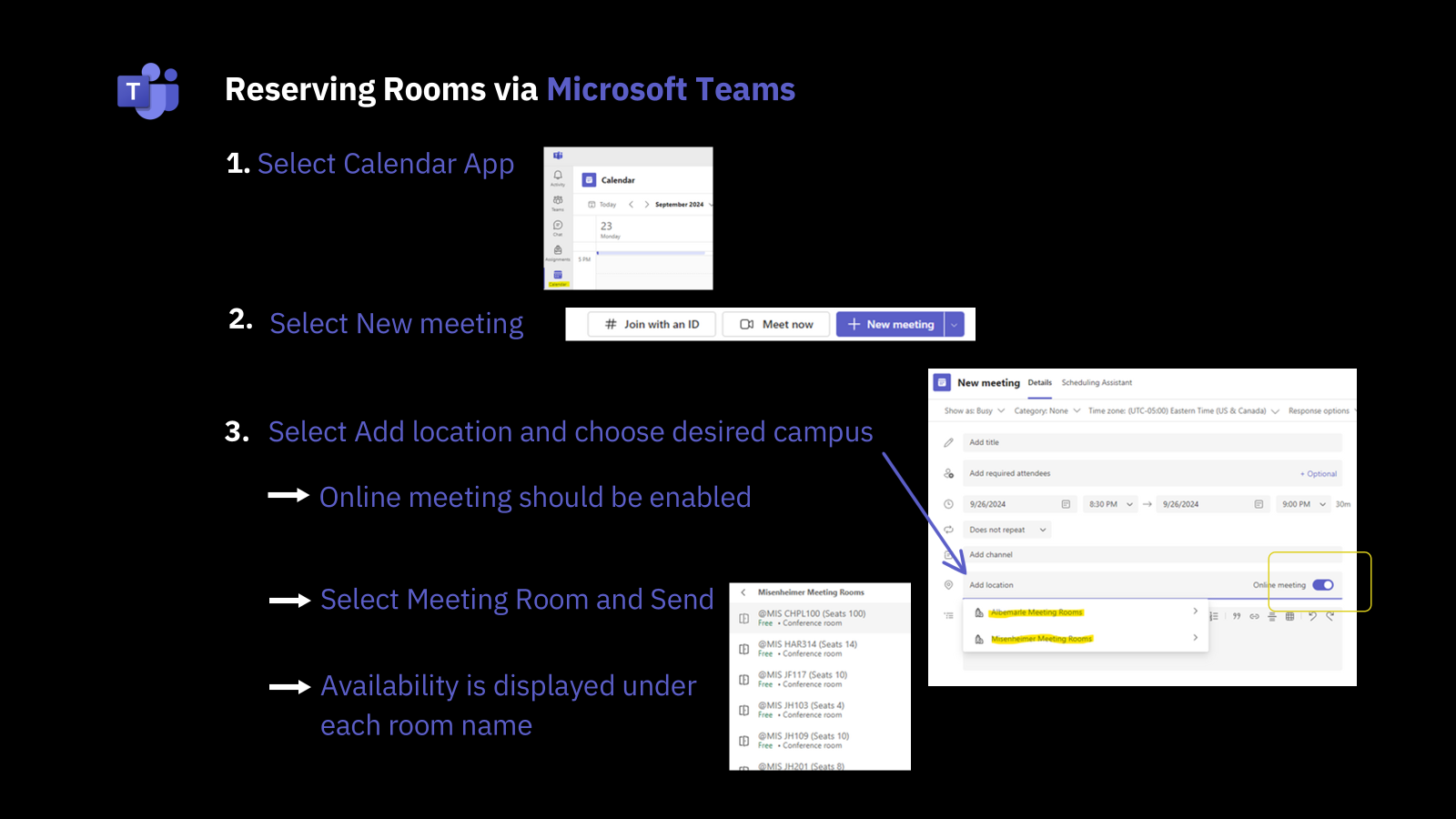
Below are images to guide users in checking space availability across campus and reserving rooms themselves. There is also a link to a video that gives you a more detailed walkthrough of each process.
**IMPORTANT**
When creating a new event for reserving a room, you MUST create the event within your own Pfeiffer email address's Outlooks Calendar so that you will receive an email notifying you if the reservation request gets declined. If you create an event for a room within a calendar that is not your own, you will not receive the email that lets you know the request was declined which could lead to scheduling conflicts.
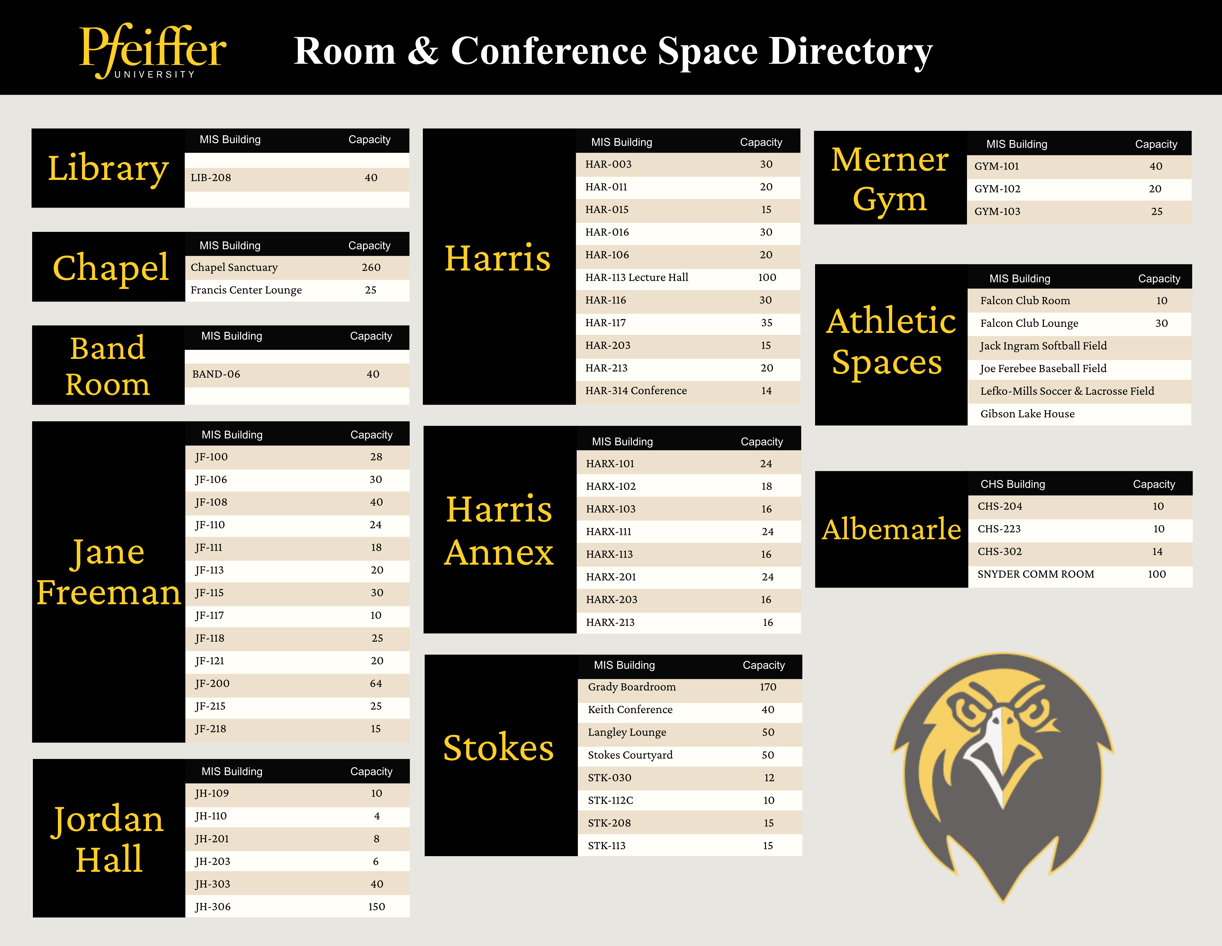
Which spaces can I book for a meeting?
See the links below for instructions on using meeting room technology:
Poly Conference System Use Guide
Mersive Wireless Casting User Guide
AIRTAME Wireless Casting User Guide
Was this article helpful?
That’s Great!
Thank you for your feedback
Sorry! We couldn't be helpful
Thank you for your feedback
Feedback sent
We appreciate your effort and will try to fix the article