Welcome To Pfeiffer University's Mobile Ordering Experience!
Pfeiffer University is pleased to offer mobile ordering through the Transact Mobile Ordering app, available on the Apple App Store and Google Play Store. Please note that a $0.50 mobile ordering transaction fee applies to each order.
1. Downloading the App
Scan the QR Code or click the link below.

App Store: Click here.
Play Store: Click here.
2. Logging in through Pfeiffer Single Sign-On
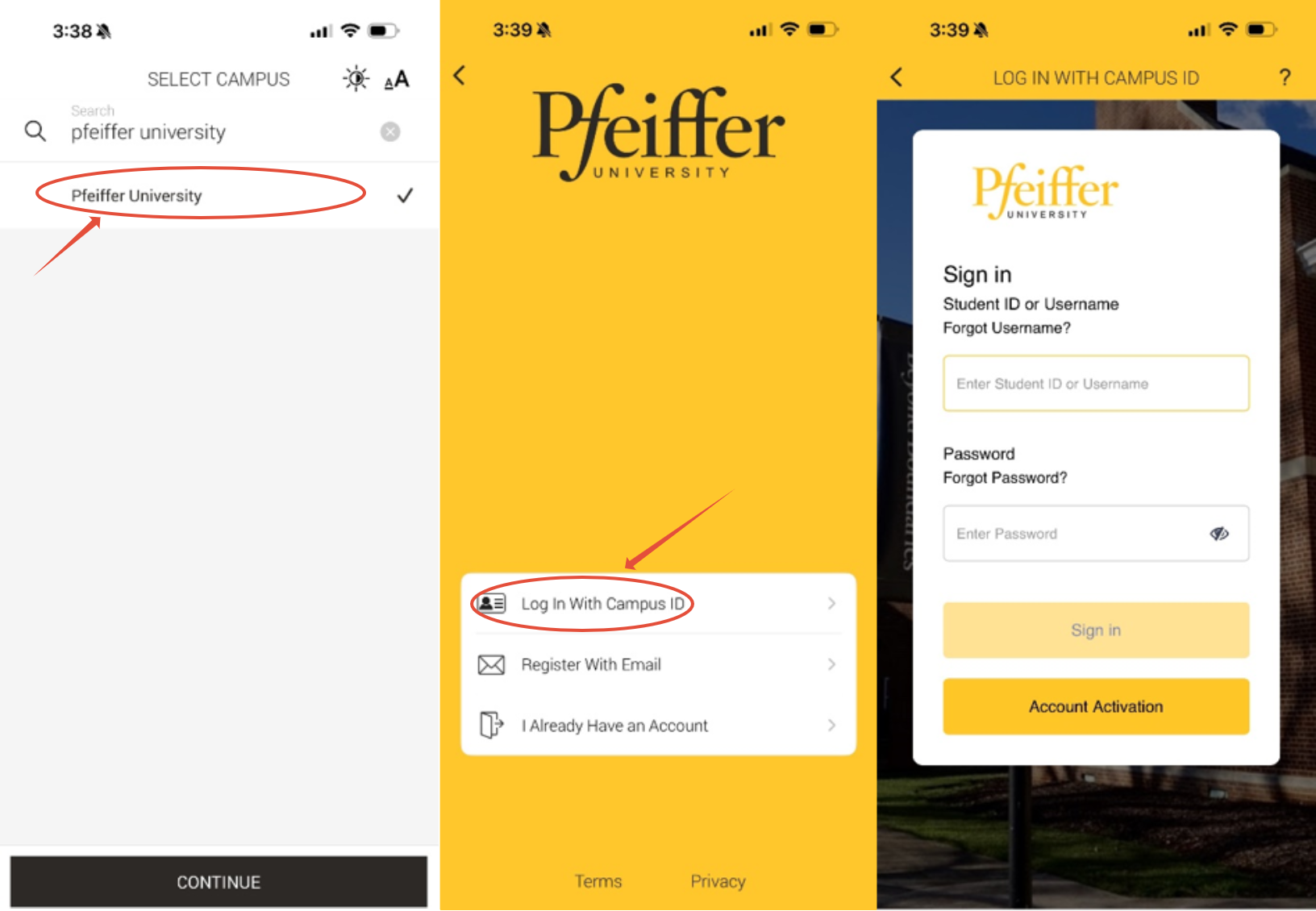
Open the Transact Mobile Ordering app
- Search for Pfeiffer University
- Select it
- Tap Continue
- Tap Log in with Campus ID
- Sign in using your Pfeiffer username and password
To start ordering:
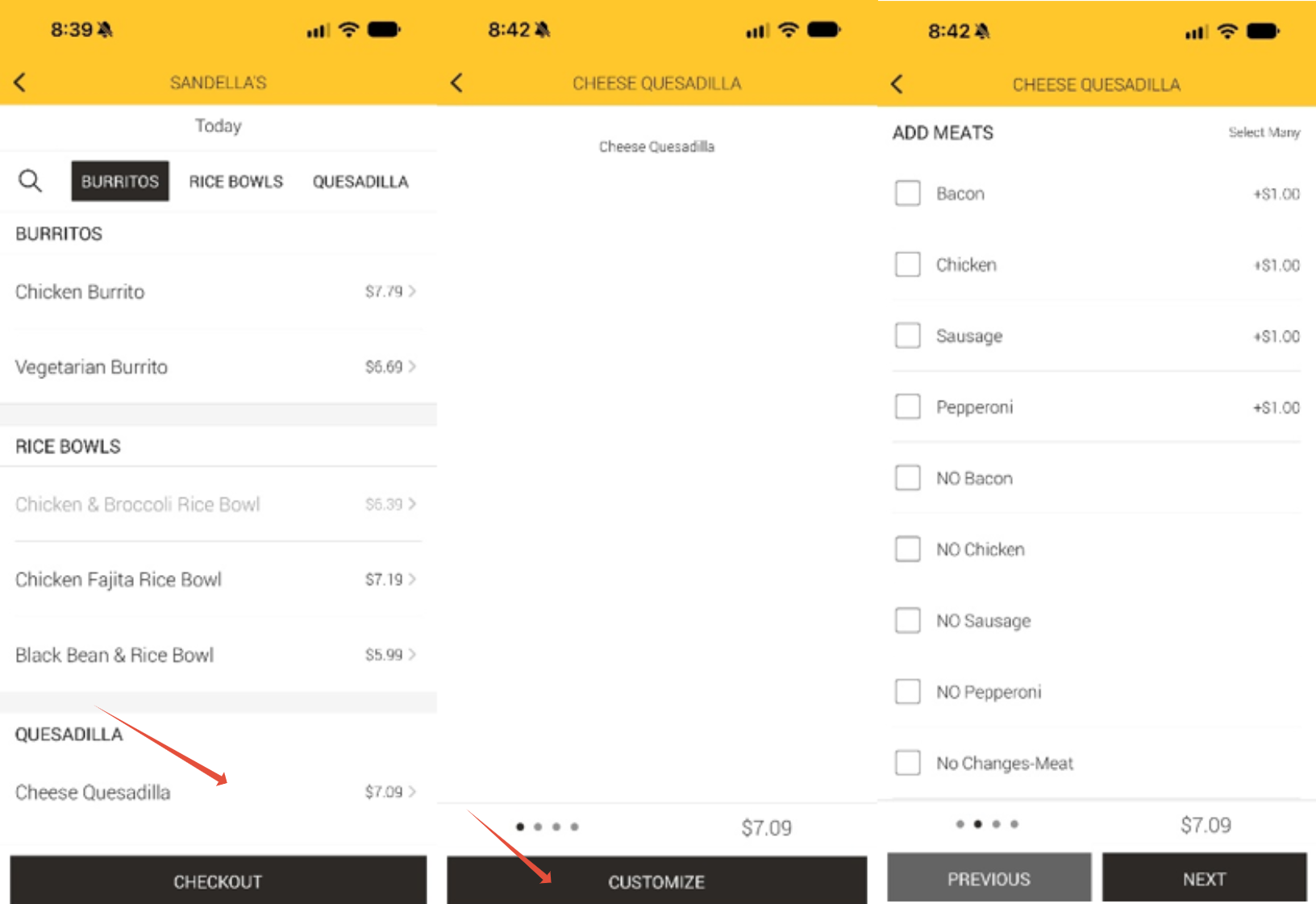
- Select Sandella's
- Select your food items
- Tap Customize.
- Choose the options you want (add, remove, or change ingredients).
- Tap Next to review your selections.
- Tap Add to Order to add the item to your cart and checkout.
Checkout Payment Options:
- Flex Dollars - Funds included with a student's meal plan. These are not added separately by the student and can be used as a campus card payment option.
- Falcon Bucks - Funds that a student adds to the Pfeiffer Campus Card. Students can add money as needed and use the available balance for campus card purchases.
- Falcon Bonus Account - Bonus funds a student receives when purchasing Falcon Bucks. These funds are separate from the purchased Falcon Bucks, so the bonus balance may appear separately when selecting a payment option.
- Credit Card - Students may also select Credit Card as a payment option when placing a mobile order.
Account Balance website for Campus ID coming soon!
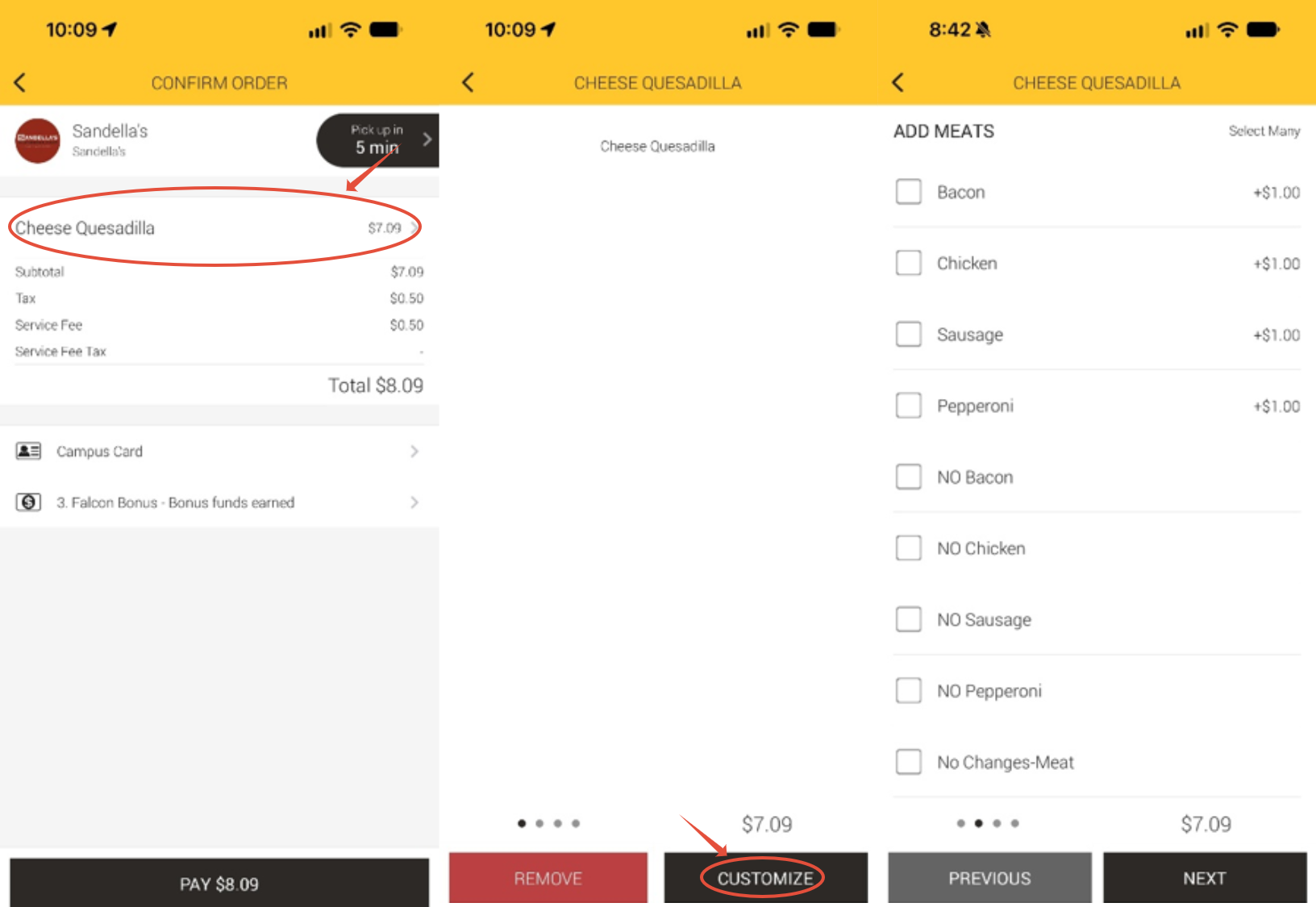
How to edit items already placed in checkout:
- Click the item you want to edit within checkout
- Then click Customize to edit the item or click Remove to remove the item
Where to pickup your Sandella's Mobile Order:
When picking up your mobile order, be sure to stand on the left side of the Sandella's counter near the Mobile Order's Pickup Area so that the staff know you are waiting for pickup.
Was this article helpful?
That’s Great!
Thank you for your feedback
Sorry! We couldn't be helpful
Thank you for your feedback
Feedback sent
We appreciate your effort and will try to fix the article